▶ L3D on YouTube
Watch L3D in Action
Step-by-step tutorials, jig demos, laser settings guides, and techniques. All filmed by Chris on real xTool machines in a real workshop. No Shorts, long-form only.
▶ Subscribe on YouTube★ Video of the Week

The Jig Every xTool Owner Should Have
Chris walks through assembling and using the L3D Self-Centering Jig: the go-to tool for perfectly centred engravings on round and irregular items without any guesswork.
This video will help you
Set up and use the Self-Centering Jig from scratch so every engraving lands exactly where you intend it, first time.
New to xTool?
Start Here
If you've just got your machine or you're still deciding which one to buy, these are the videos to watch first.

xTool F2 Beginners: Start Here First
Everything you need to know before you fire up your xTool F2 for the first time: setup, software, your first project, and the mistakes to avoid.
This video will help you
Get up and running on your xTool F2 with confidence, without wasting materials or time on avoidable errors.

Why I'm Finally Upgrading from the xTool F1 to the F2
Chris gives an honest breakdown of the differences between the F1 and F2: what you gain, what stays the same, and whether the upgrade is actually worth it.
This video will help you
Decide whether to upgrade from the F1 to the F2 without guessing: based on real workshop experience, not spec sheets.
L3D Jig Guides
Setting Up Your Jig
Tutorials directly tied to L3D Accessories products. Get the most out of every jig with the correct setup, focus, and settings.

How to Make Perfect Jig Templates in xTool XCS
Step-by-step guide to building reusable jig templates inside xTool's XCS software: the fastest way to set up repeatable engraving positions for any product.
This video will help you
Build jig templates in XCS so you never have to re-position your artwork manually again.

xTool F2 Pen Engraving: Jig Setup, Focusing & Material Settings
Everything you need to engrave pens on the xTool F2: fitting the pen into the jig, setting your focus, and dialling in speed and power for a clean result.
This video will help you
Engrave pens confidently on the xTool F2 without wasting stock on failed test pieces.

Laser Projects That Sell: Engrave Bamboo Bottle Openers with Any xTool Laser
A full workflow for engraving bamboo bottle openers: from positioning in the jig through to finished product. One of the best-selling personalised laser products.
This video will help you
Produce clean, sellable bamboo bottle opener engravings without any positioning guesswork.
Project Tutorials
Engraving by Material
Material-specific walkthroughs covering the most popular products people personalise with an xTool laser.

Perfect Wooden Keyring Engraving Every Single Time (xTool F2)
A complete beginner-friendly workflow for engraving oval wooden keyrings on the xTool F2: positioning, focus, settings, and finishing.
This video will help you
Produce consistent, professional wooden keyring engravings every run without repositioning or wasted blanks.

xTool F2 PU Leather Keychains: Beginner's Complete Workflow
Everything you need to engrave PU leather keychains from scratch: the jig setup, focus method, recommended settings, and final finishing steps.
This video will help you
Engrave leather keychains cleanly without burning through the surface or losing edge definition.

Transform Photos Into Aluminium Business Cards (xTool F2)
Chris shows the full workflow for turning customer photos into high-contrast aluminium business card engravings: one of the most impressive personalised products you can make.
This video will help you
Create photo-quality aluminium business card engravings that look professional and command premium prices.
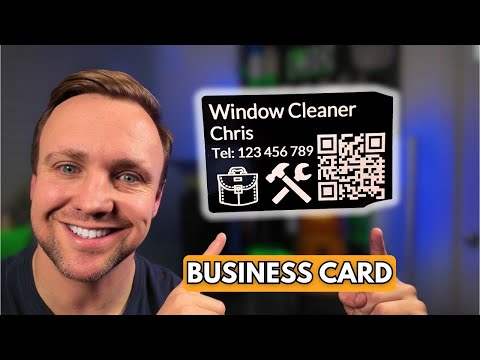
Your Business Card Settings Are Wrong. Here's Why (xTool F2)
The most common settings mistakes people make when engraving metal business cards on the xTool F2, and exactly how to fix them for a consistently sharp result.
This video will help you
Fix the settings issues causing blurry, inconsistent, or over-burned business card engravings.

Engrave Detailed Images Into Metal Coins Like a Pro
Chris demonstrates how to get high-detail engravings onto metal coins: the technique, the jig setup, and the settings that make the difference between sharp and muddy results.
This video will help you
Engrave crisp, detailed images onto metal coins without losing fine detail in the design.

Slate Coaster Engraving: Positioning, Settings, and Perfect Results
A complete walkthrough of engraving slate coasters: from positioning them repeatably with a jig, to the exact settings Chris uses for a crisp white contrast result.
This video will help you
Produce consistent, professional-looking slate coasters with no guesswork on positioning or settings.

Never Waste Glass Again: Professional Engraving Technique (xTool F2)
The technique Chris uses to get clean, professional glass engravings on the xTool F2: including how to handle the reflectivity issues that cause most people to ruin their first batch.
This video will help you
Engrave glass cleanly and consistently without the frosting, cracking, or uneven results beginners usually get.

Turn Your Photos into Glass Engravings (xTool F2 Workflow)
How to take a customer photo and turn it into a finished glass engraving on the xTool F2: from image prep in XCS through to the final polished result.
This video will help you
Create glass photo engravings that look stunning and are worth charging a premium for.
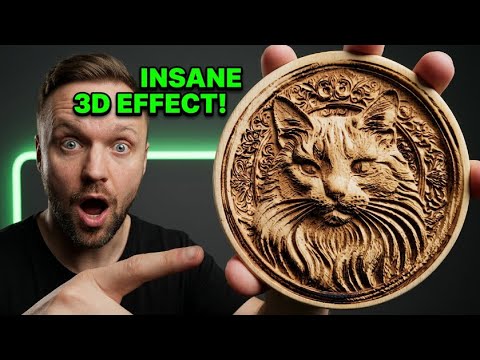
3D Relief Engraving on Wood with the xTool F2: Full Beginner Tutorial
A beginner-friendly deep dive into 3D relief wood engraving on the xTool F2: how to prepare your design, set up the layers, and get a result that looks genuinely three-dimensional.
This video will help you
Create impressive 3D wood engravings that look far more complex than the effort involved in making them.

Golf Tee Engraving Tutorial: xTool F2 Beginner Project
Step-by-step tutorial on engraving golf tees on the xTool F2: from mounting in the jig to settings and finishing. A great first commercial project for anyone new to the machine.
This video will help you
Complete your first personalised golf tee engravings quickly and cleanly using the right jig setup.

Laser Engraving for Beginners: Slate, Metal & Leather
Three of the most popular engraving materials in one video: the key differences in approach, the settings to use, and the mistakes beginners usually make on each one.
This video will help you
Start engraving slate, metal, and leather confidently without ruining your first batch of blanks.
Get It Right
Settings & Software
Understanding your machine settings is the difference between guessing and getting consistent results every time.

Laser Engraver Settings Explained: Speed, Power & Dot Duration
Chris breaks down exactly what speed, power, and dot duration do to your engravings: and how changing each one affects the final result on different materials.
This video will help you
Understand your machine's settings properly so you stop burning through materials and start getting consistent results.

Stop Guessing Laser Photo Settings (Do This Instead)
A proven method for dialling in photo engraving settings without endless trial and error. The exact workflow Chris uses to get clean, high-contrast photo results every time.
This video will help you
Get your photo engraving settings right first time instead of wasting hours on test burns.

xTool F1 Ultra: PLA Engraving Test with XCS Material Array
A full material array test on black PLA using the xTool F1 Ultra to find the optimal engraving settings: a practical reference for anyone printing STL jigs and wanting to mark them.
This video will help you
Find the best engraving settings for PLA on the xTool F1 Ultra without running dozens of manual tests yourself.
Go Further
Tips & Techniques
Advanced tricks, maintenance steps, and techniques that separate a good result from a great one.

Uneven Surfaces Don't Stand a Chance Against This xTool Technique
How to handle curved and uneven surfaces on an xTool machine: the technique that makes it possible to engrave items that would normally cause focus and quality problems.
This video will help you
Engrave on curved and uneven surfaces cleanly, opening up a whole new range of products you can offer.

xTool F1 Ultra Owners Miss This Critical Cleaning Step
A quick but important maintenance video: the cleaning step most F1 Ultra owners skip, and exactly how it affects engraving quality over time if you ignore it.
This video will help you
Keep your xTool F1 Ultra performing at full quality for longer by avoiding the most common maintenance mistake.

Make Stunning Laser Engraved Gifts Like This
Chris runs through the full workflow for creating high-quality personalised gifts: from blank selection and jig setup through to the finished product ready to sell or give.
This video will help you
Create gift-quality engraved products that look professional and are worth charging a premium for.

3D Wood Engravings That Look Impossible (xTool F1 + AI)
Using AI image generation combined with the xTool F1's engraving capabilities to produce wood engravings that look genuinely three-dimensional and unlike anything done manually.
This video will help you
Produce show-stopping 3D wood engravings that get people asking how you made them.
Never miss a video
New videos every week
Subscribe to get notified when new tutorials go live. No fluff, just practical guides for xTool machine owners.