L3D Accessories
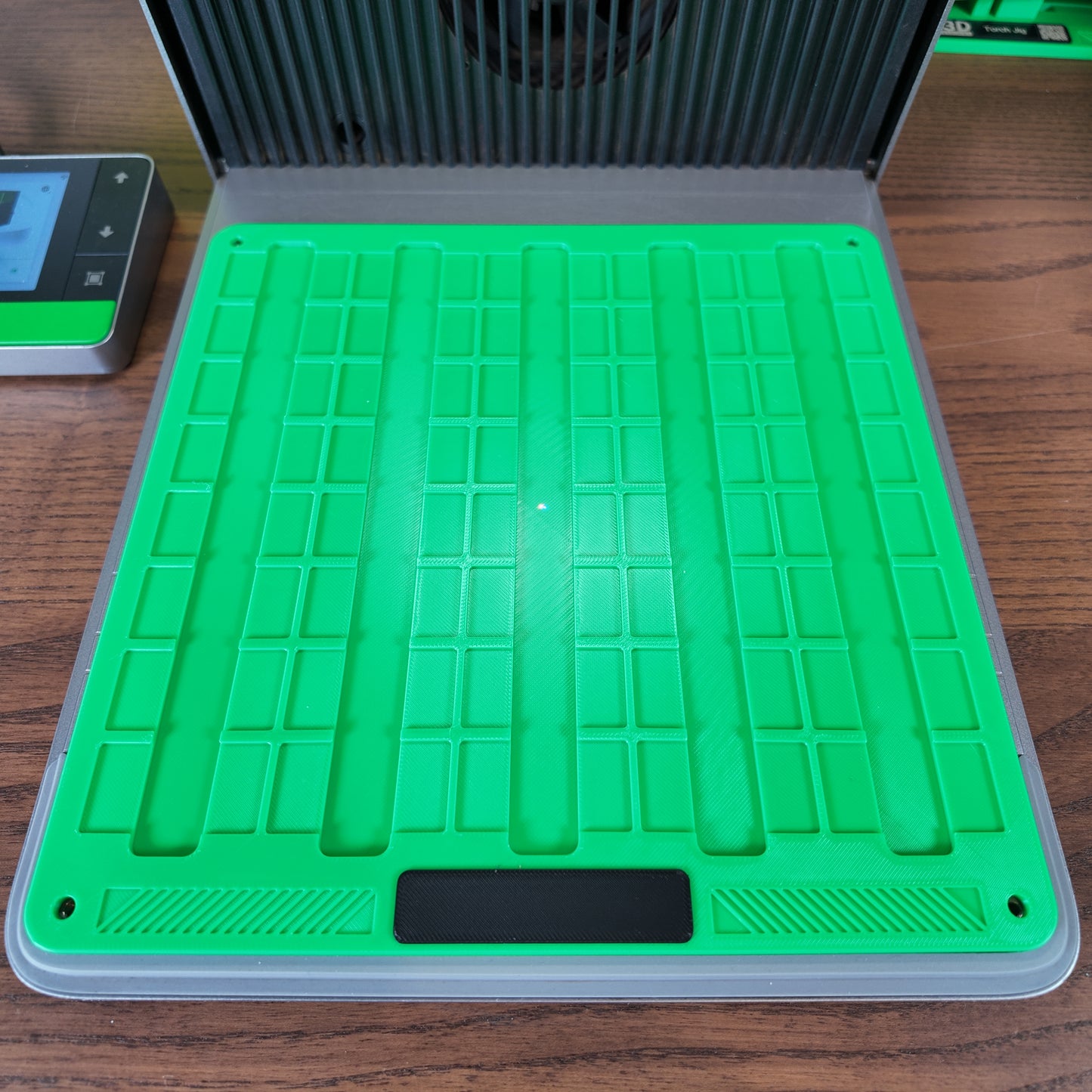
Metal Keychain Blank Jig STL for xTool F1 Ultra, F2 Ultra & F2 Ultra UV
Sell what you make, not the jig. Print this jig and sell anything you make with it. The printed jig itself and this file may never be sold, shared or given away, original or modified.
⬇️ Digital download · Delivered instantly by email · Nothing is posted
🖨️ Printer needed: a print bed of at least 235 x 235 mm (9.3 x 9.3 in)
Couldn't load pickup availability
Digital file delivered by email straight after checkout
 Designed and printed by Chris · my story
Description
Streamline your engraving workflow with this digital download STL file for the xTool F1 Ultra, F2 Ultra & F2 Ultra UV. Designed to hold 40 mm × 20 mm stainless steel keychain tags, this printable jig ensures precise alignment for clean, repeatable engraving results. Ideal for custom pet tags, keychains, and metal branding plates. No physical product will be shipped. Instant download available after purchase.
Designed for: xTool F1 Ultra, xTool F2 Ultra, xTool F2 Ultra UV
Does not fit: xTool F1, F1 Lite, or F2
Key Features
• Designed for rectangular stainless steel tags measuring approximately 40 mm × 20 mm
• Provides a secure fit to prevent movement during engraving for professional results
• STL file format ready for 3D printing in PLA, PETG, or similar FDM materials
• Compatible with the xTool F1 Ultra, F2 Ultra & F2 Ultra UV using standard M4 × 0.7 mm mounting holes
• Ideal for engraving pet tags, nameplates, and promotional metal keychains
What Is Included
• One STL file for the xTool F1 Ultra, F2 Ultra & F2 Ultra UV Metal Keychain Blank Jig
• Reference image showing correct positioning and layout
Compatibility
• Machine: xTool F1 Ultra, xTool F2 Ultra, xTool F2 Ultra UV
• Material: Stainless steel blanks approximately 40 mm × 20 mm
• Software: Compatible with any slicer that supports STL import
Important Notes
• Digital product only. No physical jig or screws are supplied.
• Metal blanks and accessories shown in any images are for demonstration only.
• Manual framing is recommended to ensure precise alignment due to calibration differences between machines.
Licence (please read): This STL file is for personal use only. Print the jig for your own workshop and sell anything you make with it. What is not allowed: selling or giving away the printed jig itself (original or modified), and sharing, reselling or redistributing this file or any modified version of it.
Printing Guidance
• Filament: PLA or PETG
• Layer height: 0.2 mm
• Infill: 25–35 percent
• Four or more perimeters for added strength
• Always test fit a sample tag before engraving production batches
Usage Notes
• Mount the jig using the M4 × 0.7 mm screws from the xTool right-angle bracket
• Insert the stainless steel tag with the engraving face upward
• Use the included XCS alignment file or manually frame before engraving
Optional FAQ
Q: Can I use this jig for aluminium or brass blanks
A: Yes. It is designed for stainless steel but can also hold aluminium or brass tags of similar size.
Complete your kit
Picked for your machine. Open each one and check its FITS badge before you buy.